
Video Communication Smart Helmet
MODEL H5000S
A video-led smart-helmet architecture for remote visibility, frontline communication and event response.
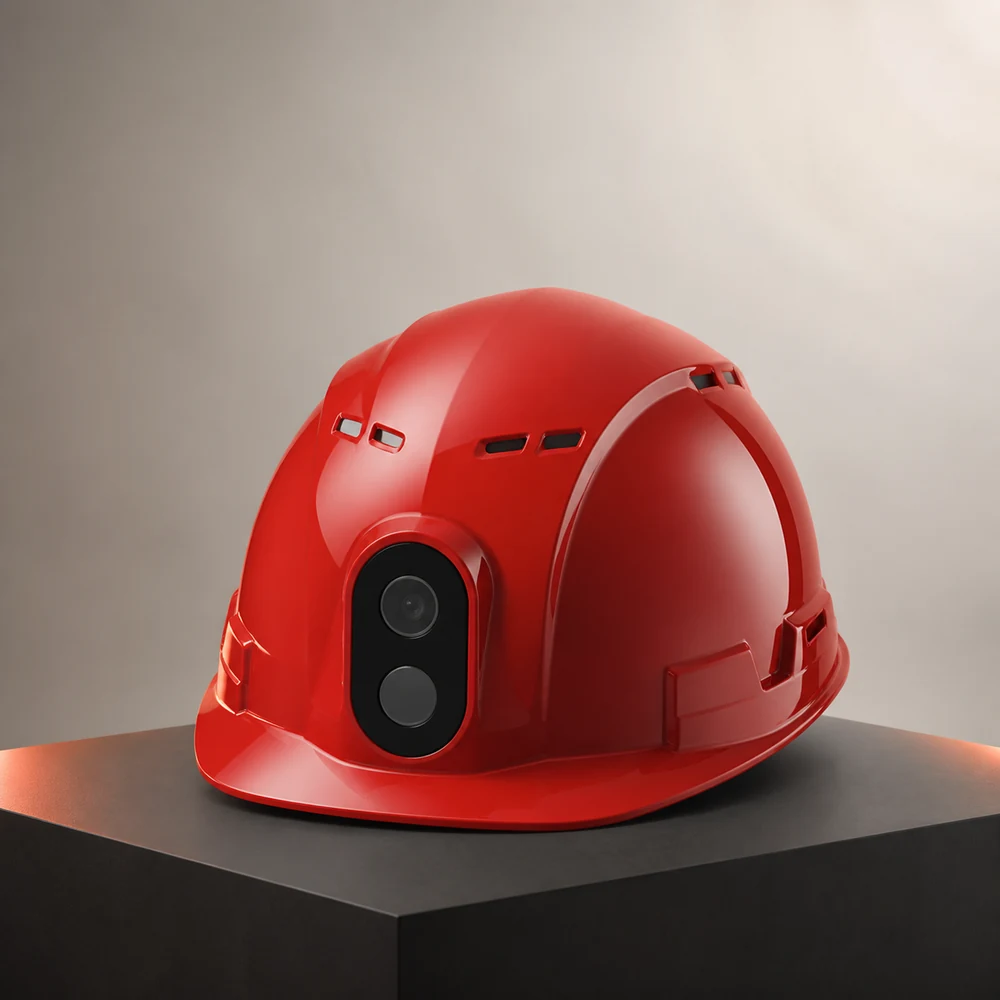
PRODUCT SPECS
This table separates source-confirmed functions from optional items and project-specific values. Unverified numerical claims are deliberately excluded.
Communication / Network
Built-in 4G / 5G / Wi-Fi antenna architecture. Operating bands are confirmed for each project.
Positioning
GPS, location reporting and SOS. Positioning accuracy is confirmed against the project environment.
Video / Image
HD camera, photo capture, live video and remote playback. Pixel count and resolution require final verification.
Voice / Intercom
Microphone, speaker, push-to-talk key and voice / group intercom workflows.
Alerts / Safety
SOS is included. Fall, helmet-removal and silent-alert functions depend on the final configuration.
Sensors / Expansion
Accelerometer, gyroscope, barometer, BeiDou, Bluetooth, UWB and gas modules are available as mainboard options.
Structure / Peripherals
Laser pointer, high-output LED, camera, speaker and microphone are integrated into the product architecture.
Interfaces / Storage
nano-SIM, TF card and Type-C charging interface.
Power
Removable lithium battery with level display. Capacity and operating time are confirmed with the final configuration.

CONFIGURED AROUND THE WAY YOUR TEAM WORKS.
The right model depends on field tasks, user roles, network conditions and the response workflow. We confirm the operating context first, then align the device, connection and platform configuration.
Remote inspection
Define frontline tasks, users and required response actions.
Field dispatch
Verify network, positioning and collaboration conditions on site.
Incident review
Test the selected device and workflow before project deployment.
CONFIGURED AROUND THE OPERATION.
See the scene
Bring visual context from the frontline into the dispatch workflow.
Keep teams connected
Support voice and team communication according to the selected project configuration.
Respond in context
Associate alerts, location and media records within the management platform.
A CLEAR CHECKLIST BEFORE DEPLOYMENT.
The following items are confirmed for each project. Exact specifications, optional modules and applicable documents are only published after verification.
COMMUNICATION & DISPATCH
Confirm voice, video and team workflows for the selected model and user roles.
POSITIONING & ZONES
Match positioning and area-management requirements to the actual site conditions.
ALERTS & EVENTS
Define alert types, escalation paths and authorized event records.
PLATFORM & ACCESS
Confirm platform roles, viewing permissions and operational responsibilities.
ACCESSORIES & INTEGRATION
Review required accessories and system interfaces as part of the project scope.
DOCUMENTS & ACCEPTANCE
Confirm model information, applicable documents, testing and acceptance criteria.
FROM HELMET TO OPERATIONAL VIEW.
The device is one part of the system. Connectivity, platform roles and response rules are confirmed with the project.
DEVICE
Selected helmet and optional project modules
CONNECTION
Verified network and positioning conditions
PLATFORM
Authorized status, event and media workflows

BUILD THE CONFIGURATION AROUND YOUR SITE.
Share the country, industry, team size and required workflow. We will identify the right starting architecture before quotation.
START A PROJECT↗