Emergency scenes change quickly. The workflow has to help people communicate, show useful context and escalate without adding complicated steps when attention is already stretched.
5G INDUSTRIAL SAFETY / GLOBAL PROJECT SUPPORTPROJECT SUPPORT & GLOBAL DELIVERY
 CHANGZHOU BLUEGUANDING TRADING CO., LTD.BLUEGUANDING · AF-KANGMUAF-KANGMU INDUSTRIAL INTELLIGENT SAFETY EQUIPMENT
07
Emergency Response
Help incident teams share what they see and coordinate the next move when time and information are limited.
DISCUSS YOUR RESPONSE WORKFLOW↗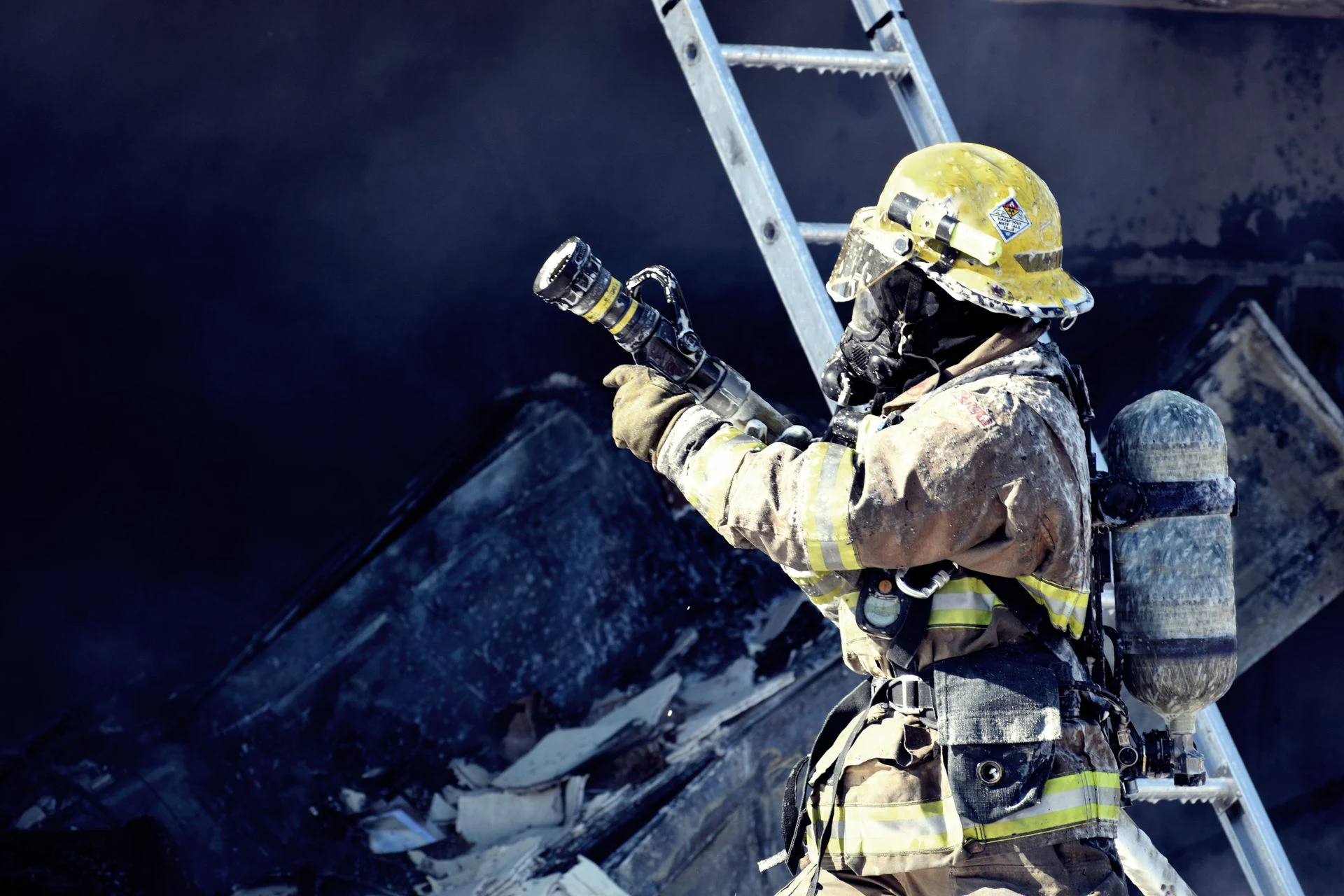
THREE THINGS THAT MATTER
01Reach the team quickly
02Let command see enough context
03Make the next action clear
START WITH THE REAL RESPONSE
WHEN INFORMATION IS INCOMPLETE, THE NEXT DECISION STILL CANNOT WAIT.
Emergency teams often act before the full picture is available. A useful system helps the frontline report what matters, helps command acknowledge it and keeps the next action clear.
THE SCENE CHANGES FASTER THAN THE REPORT
Conditions, access and team positions can change within minutes. Keep updates short, useful and tied to the current response role.
VOICE ALONE MAY NOT EXPLAIN ENOUGH
When network and project configuration allow, images or video can add context that is difficult to describe under pressure.
CONNECTIVITY MAY BE UNSTABLE
Smoke, structures, distance, congestion and temporary networks can affect communication. Test expected scenarios and define a fallback method.
AN ALERT NEEDS A CLEAR OWNER
SOS or configured events only help when someone is assigned to receive, acknowledge, escalate and close the response.
HOW THE RESPONSE CONNECTS
PUT THE FIELD VIEW IN FRONT OF THE PERSON COORDINATING THE RESPONSE.
Connect the frontline, verified emergency communications and the command or support role so the next decision arrives with enough field context.
Frontline responder
The frontline uses the selected helmet configuration for communication, situation reporting and the agreed emergency workflow.
Emergency connectivity
Communication and media upload are tested under the network conditions expected for the response scenario.
Command & support
Command or support roles receive the field context they need and follow a clear acknowledgement and escalation path.
THE RESPONSE IN MOTION
FROM FIRST CONTACT TO HANDOFF, KEEP THE RESPONSE SIMPLE.
In an incident, every extra step competes with attention. The workflow should use a few clear actions that teams have already practised.
READINESS CHECK
Before the shift or drill, confirm the user, device status, team, channel and the role responsible for acknowledgement.
ARRIVAL REPORT
Share a concise first report and the available location, voice or visual context defined for the scenario.
REQUEST & COORDINATE
Send the available field context to the designated command or support role and confirm who is taking the next action.
HANDOFF & REVIEW
Keep the key timeline, response and result together so the team can improve the next drill or event.
WHERE TO START01 02 03 04 VIEW VIDEO COMMUNICATION HELMET↗
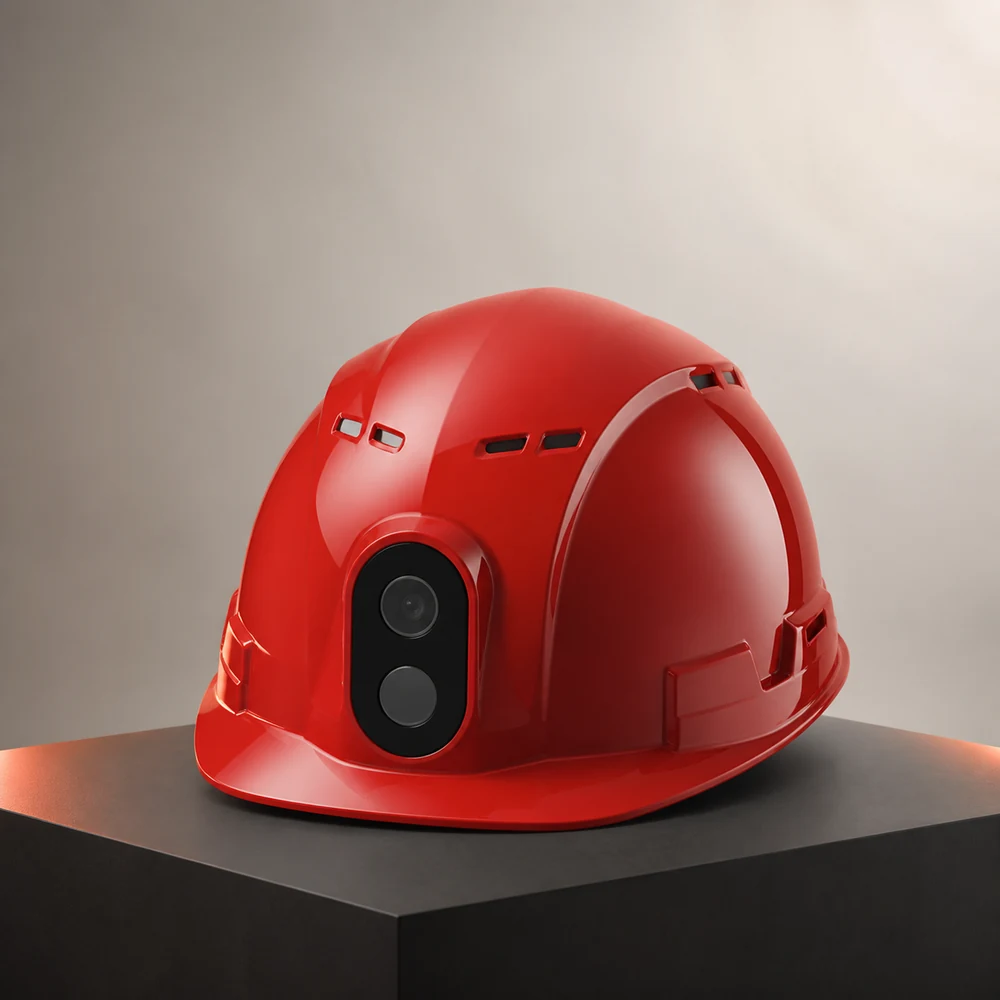
VIDEO COMMUNICATION SMART HELMET FOR INDUSTRIAL INCIDENT COORDINATION.
For industrial drills and response scenarios where the helmet's protective scope is appropriate, the video communication smart helmet provides a visual starting architecture. It does not replace specialist firefighting or rescue PPE; model suitability, protective requirements, network and certifications must be confirmed for the exact task.
SHARE VISUAL CONTEXT WHEN CONDITIONS ALLOW
Use configured images or video to help command understand what the frontline is facing under the available network.
KEEP THE TEAM ON A CLEAR CHANNEL
Match voice and team communication to the project configuration and the response method already practised.
CONNECT SOS TO A REAL RESPONSE ROLE
Use SOS, location or configured events only after the receiver, acknowledgement and escalation path are defined.
REVIEW THE RESPONSE, NOT JUST THE DEVICE
Use available event and media records to improve the workflow, permissions and training after the drill.
HOW TO PREPARE
START WITH A DRILL BEFORE A REAL INCIDENT.
Practise the communication, acknowledgement and handoff under realistic conditions before the workflow is needed for real.
CHOOSE ONE RESPONSE SCENARIO
Define the likely scene, team, hazards, protective requirements, communication limits and the information command needs.
ASSIGN EVERY ROLE
Confirm who reports, who receives, who acknowledges, who escalates and who closes the event.
RUN A REALISTIC DRILL
Test wearing, communication, media upload, operating time, fallback methods and the selected device configuration.
IMPROVE THE WORKFLOW
Review delays and missing context, then adjust the process, training and configuration before wider use.
PROJECT INQUIRY
BUILD THE CONFIGURATION AROUND YOUR SITE.
Share the country, industry, team size and required workflow. We will identify the right starting architecture before quotation.
START A PROJECT↗